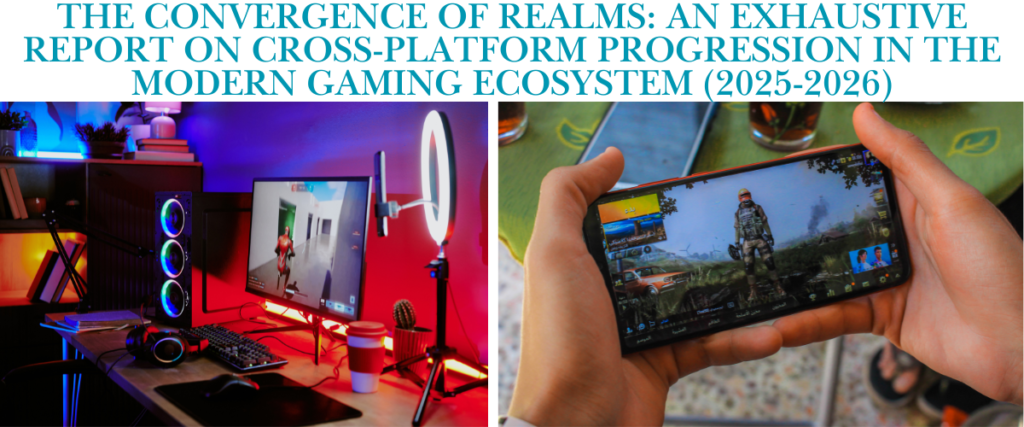
In the contemporary landscape of interactive entertainment, the demarcation lines that once rigidly separated gaming platforms have largely dissolved. The years leading up to 2026 have witnessed a fundamental paradigm shift from hardware-centric gaming to ecosystem-centric gaming. This transition is driven by the consumer demand for “boundless play”—the ability to engage with a single, persistent digital identity across high-fidelity personal computers (PC) and ubiquitous mobile devices (iOS/Android).
This article, “The Convergence of Realms,” provides a comprehensive, expert-level analysis of the current state of cross-platform progression (commonly referred to as “cross-save”). It examines the technical architectures, economic frictions, and user experience (UX) challenges that define this sector. Through deep-dive case studies of industry titans—including HoYoverse, Activision Blizzard, and Riot Games—we analyse how developers are bridging the gap between touch interfaces and mouse-and-keyboard precision. Furthermore, the article explores the technical nuances of cloud synchronisation, the specific limitations of premium currency transfer, and the emerging trends projected to shape the industry through late 2026.
The findings indicate that while technical parity has been largely achieved in high-budget titles, significant friction remains regarding monetisation policies and legacy codebases. The “walled gardens” of mobile app stores continue to complicate the unified wallet dream, even as gameplay progression becomes increasingly seamless. This document serves as a definitive guide for industry stakeholders and consumers navigating the complex web of accounts, servers, and synchronisation protocols that constitute the modern cross-platform experience.
The Paradigm Shift: From Platform Exclusivity to Ecosystem Continuity
The historical trajectory of the video game industry was, for decades, defined by exclusivity. A game purchased for a console was bound to that plastic box; a save file created on a PC was locked to the hard drive it was born on. However, the maturation of mobile hardware in the mid-2020s, capable of running engine-native versions of AAA titles, forced a re-evaluation of this model.
The Death of the “Mobile Port”
By 2025, the concept of the “mobile port”—a watered-down, simplified version of a main title—had largely been retired in favour of “feature parity.” Titles like Zenless Zone Zero and Death Stranding demonstrated that the iPhone 16 and high-end Android devices could render assets comparable to base-level PC settings. This hardware convergence was the prerequisite for cross-progression; without gameplay parity, shared progression is functionally impossible.
The industry has moved toward a model where the device is merely a “window” into the game world. Whether that window is a 6-inch OLED screen or a 34-inch ultrawide monitor is irrelevant to the server hosting the player’s data. This shift has elevated the importance of the centralised account system, turning publishers into platform holders in their own right.
The Rise of the Centralised Identity
The linchpin of modern cross-progression is the decoupled identity. In the past, a player’s identity was their SteamID or their Apple Game Centre ID. Today, the primary key is the Publisher ID (e.g., HoYoverse ID, Activision ID, Riot Account).
This architectural change allows for:
- Agnostic Data Hosting: Save states are stored on proprietary servers 1, bypassing platform-holder cloud limits.
- Real-Time State Management: As seen in Call of Duty: Black Ops 6, a rank gained on mobile is reflected on PC within milliseconds of the session terminating, facilitated by high-frequency server ticks.1
- Cross-Commerce: The ability to verify ownership of digital goods (skins, battle passes) across disparate storefronts.
The Architecture of Seamlessness: Technical Mechanisms
To understand the efficacy of the best cross-platform games, one must analyse the underlying mechanisms that enable data synchronisation.
The Sync Handshake
When a player logs out of a session on a PC, a “commit” action is triggered. The game client serialises the player’s state—inventory, quest flags, location coordinates, and currency balances—into a compact JSON or binary blob. This packet is encrypted and transmitted to the publisher’s central database.
Upon logging into the mobile client, a “fetch” request is initiated. The server validates the session token and downloads the latest state blob. In 2025, this process is heavily optimised. Games like Genshin Impact utilise delta syncing, downloading only the changes since the last session rather than the entire save file, minimising data usage and load times.3
Conflict Resolution and “The Loop”
A critical challenge in this architecture is conflict resolution. If a player loses internet connection on mobile but continues playing offline, then logs into PC, two divergent save states exist.
- Server-Authoritative Models: Most modern MMOs and gacha games (e.g., Tower of Fantasy, Wuthering Waves) are strictly server-authoritative. If the client cannot reach the server, progress is not saved locally, or the game refuses to function. This eliminates conflicts but requires a constant connection.5
- Timestamp Heuristics: For games with offline capabilities (like Minecraft via Realms), the server typically accepts the save file with the most recent timestamp, though this can lead to data loss if the “newer” save was a corrupted upload.
The Account Linking Workflow
The most common point of failure for users in 2025 remains the initial account linking process.
- The “Guest Account” Trap: As highlighted in reports regarding Delta Force: Hawk Ops, players frequently start playing on mobile as a “Guest” to test the performance. This creates a temporary, orphan account ID. If they later attempt to log in with their existing PC credentials, the system detects a conflict (the device is already associated with the Guest ID). Resolving this often requires a full reinstall or complex customer support intervention to unbind the Guest ID.6
- Merge vs. Link: A crucial distinction exists between merging (combining two existing accounts and summing their inventories) and linking (choosing one account to be the master and accessing it on other devices). The confusion between these two processes has been a significant source of player friction, particularly in the Warframe ecosystem.8
The Economic Landscape: The “Wallet” Problem
While gameplay data flows freely, financial data hits a wall. The economic structures of 2025 are still defined by the “Walled Garden” policies of major app store operators (Apple, Google). These platforms typically charge a 15% to 30% commission on all digital transactions processed through their APIs.
To protect this revenue stream, platform holders often contractually forbid developers from allowing premium currency purchased on one platform (e.g., PC via Stripe/PayPal) from being spendable on another (e.g., iOS via Apple Pay).
The “Purchased vs. Earned” Dichotomy
To navigate this, developers have adopted a bifurcated currency model:
- Earned Currency: Currency awarded through gameplay (e.g., V-Bucks from a Battle Pass, Primogems from quests) is platform-agnostic. It resides in the game’s central database and can be spent anywhere.4
- Purchased Currency: Currency bought with real money is often flagged with a platform_origin tag.
- Case Study – Genshin Impact: Genesis Crystals purchased on PlayStation or iOS are often invisible or locked when logging into PC. However, if the player converts those crystals into “wishes” (items) on the original platform, the items transfer freely.4
- Case Study – Fortnite: Epic Games has aggressively negotiated “Shared Wallets.” V-Bucks purchased on PC, Xbox, PlayStation, and Android are shared. The notable exception remains the Nintendo Switch, which acts as a solitary economic island for purchased funds.10
Third-Party Top-Up Centres
To bypass mobile fees and platform locks, publishers like Kuro Games (Wuthering Waves) and Level Infinite (Tower of Fantasy) have popularised web-based top-up centres. By directing players to a website to buy currency (LootBar, CodaShop), the transaction occurs outside the app store ecosystem. The currency is then injected directly into the server-side account, making it accessible on all devices immediately. This “Web-to-Game” loop is the primary method for savvy players to ensure their funds are universally available.12
The Gacha and Action RPG Titans
The Action RPG genre, specifically the “gacha” sub-sector, has been the vanguard of seamless cross-progression. These games are designed as lifestyle products, requiring daily engagement that necessitates mobile access.
The HoYoverse Ecosystem (Genshin Impact, Honkai: Star Rail, Zenless Zone Zero)
HoYoverse stands as the undisputed leader in high-fidelity cross-platform implementation. Their proprietary “HoYoverse Account” serves as a unified passport across their multiverse.
- Zenless Zone Zero (ZZZ): Released in 2024/2025, ZZZ represents the maturity of this tech. Unlike earlier titles that struggled with UI scaling, ZZZ features a responsive interface that adapts button prompts and HUD elements instantly when switching from touch to keyboard. Cross-save is enabled by default; there is no manual “upload” required. The moment a player clears a “Hollow” on mobile, the loot is in their inventory on PC.3
- Platform Friction: While PC and Mobile sync flawlessly, the PlayStation ecosystem introduces a unique friction point: the PSN account must be explicitly linked to the HoYoverse ID before starting the game on console. Failure to do so creates a “ghost” HoYoverse account linked to the PSN ID, which cannot be easily unlinked.15
- Server Region Locking: A critical limitation persists—server regions. An account created on the “America” server is distinct from the “Europe” server. Players travelling physically cannot migrate their progress to a closer server; they must tolerate the latency of their home region or start over.4
Wuthering Waves
Kuro Games’ Wuthering Waves competes directly with Genshin, offering a more combat-focused open-world experience.
- Cross-Save Mechanics: The game supports full cross-progression between PC and Mobile via the Kuro Account. The synchronisation includes all “Resonators” (characters), “Echoes” (gear), and story progress.17
- The Lunite Limitation: Premium currency (“Lunite”) follows the strict platform-lock model. Lunite bought on the Google Play Store does not appear on the PC client. However, the Monthly Pass (a subscription) rewards are claimable on any device, making it the preferred monetisation route for hybrid players.12
- PlayStation Integration: As of the 2.0 update cycle, the PS5 version integrates into this ecosystem, but users must ensure their PSN region matches their Kuro account region to enable the sync. A mismatch results in a forced new game start.17
Tower of Fantasy
Level Infinite’s MMORPG Tower of Fantasy offers a robust, if occasionally buggy, cross-save experience.
- Tanium Parity Updates: In mid-2025, the developers adjusted the “Tanium” (currency) purchase ratios to ensure that mobile purchases (which include app store fees) and PC purchases offered equivalent value, addressing a long-standing community complaint about price discrepancies.20
- Steam vs. Standalone: Interestingly, the game treats the Steam version and the standalone PC launcher as the same endpoint. Progress syncs seamlessly between them, as well as to Android/iOS, provided the same Level Infinite Pass is used.22
The Shooter Ecosystem: Tactical Continuity
First-Person Shooters (FPS) face the most significant UX challenges in cross-progression due to the input disparity (touchscreen vs. mouse). However, they have become the most aggressive adopters of “Shared Progression” to keep retention metrics high.
Call of Duty: The Unified “HQ”
Activision has consolidated its titles under the “Call of Duty HQ” app. This ecosystem connects Call of Duty: Warzone Mobile with the mainline PC/Console titles (e.g., Black Ops 6, Modern Warfare III).
- The Shared Battle Pass: This is the killer feature. A player can play Warzone Mobile during their commute to earn Battle Pass tokens. These tokens can then be spent to unlock a weapon blueprint in Black Ops 6 on PC. The synchronisation is bidirectional and instantaneous.1
- Weapon XP Grinding: Mobile has become a legitimate platform for “levelling guns.” Players often find it easier to farm kills against bots or in casual mobile lobbies to unlock attachments (scopes, grips) that they then use in competitive PC matches. This has fundamentally changed player behaviour, turning mobile into a “companion app on steroids”.24
- Input-Based Matchmaking: While progression is shared, matchmaking is segmented. Mobile players are generally not thrown into PC lobbies unless they explicitly join a mixed party, preserving competitive integrity while allowing progression continuity.25
Fortnite: The Metaverse Standard
Fortnite remains the industry benchmark. Its “Shared Wallet” and persistent locker system are the most mature in the market.
- Content Ubiquity: Whether a player unlocks a skin via a code on a website, buys it on an Android phone, or earns it on a PC, it is available everywhere.
- Cloud Gaming as a Loophole: Fortnite utilises Xbox Cloud Gaming and GeForce Now to allow iOS users (who were previously blocked due to the Apple vs. Epic lawsuit) to play the PC version of the game on Safari, effectively bypassing the app store ban while maintaining full progression.10
Delta Force: Hawk Ops
A newcomer in 2025, Delta Force brings a tactical extraction shooter experience to the cross-platform arena.
- The “Link” Complexity: The game requires a “Level Infinite” account. Reports from the technical test phases in 2025 highlighted a critical UX flaw: if a player creates a character on mobile without logging in (using a Device Guest ID), that character cannot later be merged with a PC account. The strict rule is “Account First, Character Second.” Players must log in with their linked email before pressing “Start Game” on a new device to ensure the save data downloads.6
- Bot Lobbies: Early mobile progression is often accelerated by bot-heavy lobbies, allowing players to level up operators quickly before taking them into the more hardcore PC environment.27
Warframe: The “Cross-Save” Odyssey
Digital Extremes’ implementation of cross-save in Warframe is a case study in technical debt management. After years of development, the system fully matured in 2025.
- Merging vs. Linking (The Jan 2025 Cutoff): The developer offered a limited-time “Account Merge” window that closed on January 17, 2025. This allowed players to combine the inventories of an old Xbox account and an old PC account into one “Super Account.”
- Current State: Post-January 2025, only “Account Linking” is available. Players must select a “Primary Account.” The progress of this account overrides the others. If a player has a mastery rank 30 account on PC and a rank 5 account on mobile, linking them (with PC as primary) will essentially delete the mobile progress and replace it with the PC state.8
- TennoGuard 2FA: Participation in the cross-platform economy (trading items with other players) mandates the activation of “TennoGuard” (2FA). This security measure is non-negotiable to prevent black-market currency farming across platforms.9
- Mobile Parity: The iOS version is fully integrated. The Android version, which ran extensive closed betas in late 2025, required testers to use fresh accounts, but the full release promises complete parity with the PC ecosystem.29
The MMO and Sandbox Frontier
Massively Multiplayer Online games benefit immensely from mobile companions, allowing for resource gathering and market management away from the desktop.
Albion Online: The True Cross-Platform Sandbox
Albion Online is unique because it is not a “mobile version”—it is the exact same client running on ARM architecture.
- Single Shard Architecture: Every player, regardless of device, exists in the same world instance. A PC player can walk up to a mobile player in-game.
- Interface Adaptation: The developer has implemented specific mobile UI overrides—larger spell buttons, auto-targeting for gathering—to make the experience viable.
- Competitive Viability: While large-scale “Zerg vs. Zerg” (ZvZ) PvP is preferred on PC due to rendering demands, mobile is widely considered excellent for “Gathering,” “Island Management,” and “Solo Dungeons.” The cross-progression is flawless; logging out on PC allows an immediate login on mobile with the character standing in the exact same spot.31
Minecraft: Bedrock vs. Java
The Minecraft ecosystem is bifurcated, often confusing users.
- Minecraft: Bedrock Edition: This is the cross-platform version. It runs on Windows 10/11, iOS, Android, and consoles. It supports cross-save via Microsoft Accounts and Realms.
- Realms as Sync: Unlike other games that sync to a cloud save automatically, Minecraft worlds are often local. To sync a world between PC and Mobile, the most reliable method is to upload the world to a “Realm” (a paid private server). Once on the Realm, it can be accessed from any Bedrock device. Alternatively, players can manually export/import world files, but this is not seamless.33
- Minecraft: Java Edition: This legacy PC version does not natively support cross-progression with mobile. However, third-party middleware tools like “GeyserMC” can allow Bedrock (mobile) clients to connect to Java servers, though this is a community hack rather than an official feature.35
Old School RuneScape (OSRS)
Jagex’s OSRS set the standard for mobile integration. The game’s point-and-click interface translates naturally to tap-to-move.
- Session Continuity: The transition is seamless. A player can be midway through a “Woodcutting” session on PC, log out, and immediately resume on mobile. The low bandwidth requirements make it ideal for cellular data play.36
Diablo Immortal
Blizzard’s mobile-first entry into the Diablo series supports full cross-play with PC.
- Sync Anxiety: Early in its lifecycle, and persisting into 2025, users reported “desync” issues where progress made on mobile wouldn’t immediately appear on PC unless the mobile app was force-closed to trigger a server push.
- Server Lock: Characters are bound to specific servers (e.g., “The Butcher”). If a player logs into the mobile app and accidentally selects a different server (often caused by the app auto-selecting based on GPS latency), their character will appear missing, causing panic. The solution is always to manually verify the server selection on the login screen.37
Strategy, Card Games, and Auto-Battlers
This genre is arguably the most “native” to the cross-platform lifestyle. The turn-based nature eliminates the input lag disadvantage of mobile devices.
Hearthstone
Hearthstone has offered cross-platform play for over a decade, yet it still struggles with legacy code issues.
- Deck Sync Bug: A persistent issue in 2024-2025 involves deck edits. A player might change a card in their deck on mobile, but when they log into PC, the change is reverted, or the deck appears invalid. This is due to local caching conflicts. The workaround often involves logging out and back in to force a “collection refresh”.39
- Region Traps: The mobile client often defaults to the region with the best ping. A user with a massive collection on the “Americas” server might travel to Europe, open the app, be auto-switched to the “Europe” server, and think their account has been wiped. Checking the region toggle in the top-right of the login screen is the mandatory fix.39
Marvel Snap
Marvel Snap utilises a Google Account or Apple ID for mobile, which can be linked to a Google account for Steam access.
- Collection Tracking: Hardcore players utilise third-party trackers like Untapped.gg. These tools automatically sync data from the PC client via log file reading. On mobile, however, users must often manually sync their collection by copying a token string from the settings menu and pasting it into the tracker website—a clunky reminder of the file-system limitations on mobile OSs.41
- Steam Independence: Originally a rough port, the Steam version in 2025 is now a widescreen-native app. Progress sync is instant; a match finished on mobile updates the “Collection Level” on PC immediately.42
Teamfight Tactics (TFT)
Riot Games’ auto-battler shares a Riot Account with League of Legends.
- Patch Disparity: The greatest hurdle for TFT players is “Patch Day” (usually Wednesdays). The PC client updates instantly via the Riot Client. Mobile updates, however, must pass through Apple and Google certification, which can take hours. During this window, the versions mismatch, and cross-play/progression is temporarily disabled. Players on mobile will be matched only with other mobile players on the old patch until the update propagates.43
- Inventory Shared, Currency Split: While “Little Legends” (avatars) and Arena skins transfer, the currency used to buy them does not. PC uses RP; Mobile uses TFT Coins. They are functionally separate wallets.44
Cloud Gaming: The Universal Bridge
For games that do not have native mobile apps, Cloud Gaming services act as the bridge, streaming the PC version to the mobile screen.
Xbox Cloud Gaming (xCloud)
Included in Game Pass Ultimate, this service allows users to play PC/Console games on mobile.
- Save Sync Transparency: A major quality-of-life update in late 2025 added “Save Sync Timestamps” to the UI. Before launching a session on mobile, the app displays exactly when the save data was last synced from the console/PC (e.g., “Last synced: 2 minutes ago”). This solves the “Conflict Anxiety” users felt when unsure if their progress had uploaded, preventing data regression.45
- Xbox Play Anywhere: Titles marked “Xbox Play Anywhere” share saves between PC (Windows Store), Xbox Consoles, and the Cloud. This is arguably the most seamless ecosystem for single-player RPGs like Starfield or Persona.47
NVIDIA GeForce Now (GFN)
GFN connects to a user’s Steam, Epic, or Ubisoft Connect library.
- The Steam Cloud Ritual: GFN relies on the backend of Steam Cloud. When a session ends on GFN (mobile), the virtual rig uploads the save to Steam.
- The “Exit” Problem: Users must exit the game via the in-game menu (e.g., “Quit to Desktop”) to allow the virtual machine time to upload the save. Simply swiping the app closed on a phone can kill the session before the upload completes, resulting in lost progress.
- Resyncing: Occasionally, the GFN library becomes out of sync with the Steam library. Users must use the “Resync” button in the GFN settings to refresh their game list and license validation.48
Data Consumption and Performance Metrics
A critical, often overlooked aspect of cross-platform play is the data cost of playing PC-quality games on mobile networks.
Bandwidth Usage Analysis
Based on 2025 telemetry data, the bandwidth consumption varies wildly by genre and method:
| Game Type | Average Data Usage (Mobile) | Notes |
| Gacha / RPG (Genshin, HSR) | 30 – 60 MB / hour | Assets rendered locally; only telemetry/state data is sent. |
| Battle Royale (Fortnite, Warzone) | 80 – 100 MB / hour | Higher tick rates and player counts increase data load. |
| Auto-Battlers (TFT, Snap) | 10 – 30 MB / hour | Turn-based nature requires minimal data exchange. |
| Cloud Gaming (xCloud, GFN) | 1.5 – 3.0 GB / hour | Streaming high-definition video consumes massive bandwidth. |
| MMO (Albion Online) | 40 – 80 MB / hour | Depends heavily on player density in the zone. |
50
The “Patch” Barrier
While gameplay data is manageable, update data is not. Games like Genshin Impact and Warzone Mobile often require multi-gigabyte patches. Cross-progression players must develop a habit of updating their mobile apps via Wi-Fi before leaving the house, as cellular downloads of 10GB+ are often throttled or blocked by OS settings.52
The Champions of Continuity: 2026 Honour Roll
Based on technical stability, economic fairness, and ease of use, the following titles represent the gold standard for PC-Mobile progression in 2026.
The “S-Tier” (Flawless Integration)
- Fortnite: The only game with a truly shared wallet (excluding Switch) and universal content parity.
- Albion Online: The definition of a “platform-agnostic” MMO. The same world, the same servers, the same economy.
- Roblox: A cloud-native platform where the device is irrelevant.
The “A-Tier” (Great, with Minor Friction)
- Genshin Impact / Zenless Zone Zero: Flawless gameplay sync, but hampered by “Genesis Crystal” platform locks.
- Call of Duty: Warzone: exceptional progression sharing, but the app size and battery drain on mobile are immense.
- Hearthstone / Marvel Snap: Perfect for gameplay, but occasional “deck sync” bugs and tracker limitations prevent a perfect score.
The “B-Tier” (Functional but Complex)
- Warframe: Cross-save works, but the “Account Linking” vs. “Merging” complexity confuses new users.
- Minecraft: Requires a paid Realm subscription for true, hassle-free cross-save.
- Tower of Fantasy: While improved, the currency quirks and occasional UI bugs on mobile hold it back.
Future Outlook: 2026 and Beyond
As we look toward the latter half of 2026, several trends are poised to reshape this sector.
AI-Driven Asset Streaming
To combat the “Patch Barrier,” developers are experimenting with AI-driven asset streaming. Instead of downloading a 20GB texture pack, the mobile client might download a 2GB “base” pack and use on-device AI upscaling to mimic high-resolution textures, reducing storage footprints while maintaining visual fidelity closer to PC.53
Cloud-Native Saves
The file-based save system (even when cloud-synced) is becoming obsolete. Future titles are moving toward “Database-Native” progression, where the game state exists only on the server. This eliminates “conflict resolution” dialogues entirely, as there is no local file to conflict with the server.53
The Expansion of “Play Anywhere”
With the success of handheld PCs (Steam Deck, ROG Ally) blurring the line between mobile and PC, we predict that Apple and Google will face increasing pressure to lower their “Walled Garden” fees. This could eventually lead to the normalisation of “Universal Wallets,” where a currency bought on the App Store is fully transferable to Steam, breaking down the final economic barrier to seamless play.55
Conclusion
The dream of “playing anywhere” has largely been realised in 2025. Whether through the meticulous ecosystem engineering of HoYoverse, the cloud-based brute force of Xbox, or the platform-agnostic economy of Albion Online, players now have the power to decouple their progress from their hardware.
However, “seamless” does not yet mean “frictionless.” The savvy gamer must still navigate a minefield of server region locks, distinct premium currency wallets, and login procedures. The best advice for the modern player is to establish the primary account hierarchy early. Create the centralised Publisher ID (Activision, HoYoverse, etc.) immediately, link all platforms before playing, and be mindful of where real money is spent.
As technology advances into 2026, the device in your hand will matter less than the account you hold. The era of the platform war is over; the era of the ecosystem war has begun.
Disclaimer
This article is based on industry data, technical documentation, and game states available as of January 2026. Game features, account policies, and cross-progression capabilities are subject to change via developer updates or platform policy shifts (e.g., changes in Apple App Store or Google Play Store regulations). Specifically, the “Account Merging” feature for Warframe referenced in this text expired on January 17, 2025, and is no longer available. Users are advised to verify the specific cross-save instructions on the official developer support pages before making significant financial purchases (microtransactions) on a secondary platform, as currency transferability remains a volatile variable subject to regional laws and platform agreements.
Reference
- 33 Best Cross-Platform Games To Play With Friends In 2025 – GameSpot, accessed on January 20, 2026, https://www.gamespot.com/gallery/best-cross-platform-games/2900-5425/
- Cross Platform Saves Games – IGN, accessed on January 20, 2026, https://www.ign.com/games/feature/cross-platform-saves
- How to synchronize game data across platforms – HoYoverse Help Center, accessed on January 20, 2026, https://support.hoyoverse.com/hc/en-us/articles/49686152994457-How-to-synchronize-game-data-across-platforms
- Genshin Impact Cross-Platform Currency: Complete 2025 Guid – BitTopup News, accessed on January 20, 2026, https://news.bittopup.com/news/genshin-impact-cross-platform-currency-complete-2025-guid
- Progress not syncing between android phone and PC : r/TowerofFantasy – Reddit, accessed on January 20, 2026, https://www.reddit.com/r/TowerofFantasy/comments/1goj5sk/progress_not_syncing_between_android_phone_and_pc/
- Announcement I Binding PC account on Mobile for Cross Progression – Delta Force, accessed on January 20, 2026, https://www.playdeltaforce.com/en/detail/news-announcement-i-binding-pc-account-on-mobile-for-cross-progression.html
- For Technical Testers: This is how you sync progression from PC/Mobile – Delta Force, accessed on January 20, 2026, https://www.playdeltaforce.com/en/detail/news-for-technical-testers-this-is-how-you-sync-progression-from-pcmobile.html
- Cross Platform Progression Guide – Warframe, accessed on January 20, 2026, https://www.warframe.com/crossprogression
- Is cross save merging gone forever? Or is it coming back in a couple of years? : r/Warframe, accessed on January 20, 2026, https://www.reddit.com/r/Warframe/comments/1jrvfqu/is_cross_save_merging_gone_forever_or_is_it/
- V-Bucks Purchased on PlayStation Join Fortnite Shared Wallet, accessed on January 20, 2026, https://www.fortnite.com/news/v-bucks-purchased-on-playstation-join-fortnite-shared-wallet
- Fortnite Gift Cards: A New Way to Buy V-Bucks, Games, and More!, accessed on January 20, 2026, https://www.fortnite.com/news/fortnite-gift-cards-a-new-way-to-buy-v-bucks-games-and-more
- Wuthering Waves Guide: 4 Best Platforms to Top Up Lunite in 2025 – LootBar, accessed on January 20, 2026, https://lootbar.gg/blog/en/wuthering-waves-best-platform-for-lunite-top-up.html
- PSA: These are the only authorized third-party top-up platforms for WuWa (at least in SEA), accessed on January 20, 2026, https://www.reddit.com/r/WutheringWaves/comments/1kf6dcl/psa_these_are_the_only_authorized_thirdparty/
- Does Zenless Zone Zero have cross-progression? – Esports.gg, accessed on January 20, 2026, https://esports.gg/news/zenless-zone-zero-zzz/does-zenless-zone-zero-have-cross-progression/
- is there cross save between pc and mobile : r/ZenlessZoneZero – Reddit, accessed on January 20, 2026, https://www.reddit.com/r/ZenlessZoneZero/comments/1ehcj2s/is_there_cross_save_between_pc_and_mobile/
- Zenless Zone Zero Xbox Version FAQ – HoYoLAB, accessed on January 20, 2026, https://www.hoyolab.com/article/39121290
- Wuthering Waves | Official PlayStation 5 FAQ (Account Linking) : r/WutheringWaves – Reddit, accessed on January 20, 2026, https://www.reddit.com/r/WutheringWaves/comments/1hqg3lo/wuthering_waves_official_playstation_5_faq/
- PS5 Cross-Save Info? – Wuthering Waves – GameFAQs, accessed on January 20, 2026, https://gamefaqs.gamespot.com/boards/458717-wuthering-waves/80910833
- PS5 Release Date & Cross Progression | Wuthering Waves – YouTube, accessed on January 20, 2026, https://www.youtube.com/watch?v=j1cZKbO1m08
- Tower of Fantasy: PlayStation Account Linking Guide, accessed on January 20, 2026, https://tof.perfectworld.com/eneu/m/news/notice/20250722/257494.shtml
- Tower of Fantasy Implementing Cross Save Between PS and PC/Mobile Starting in Version 5.2 : r/gachagaming – Reddit, accessed on January 20, 2026, https://www.reddit.com/r/gachagaming/comments/1m6wjpi/tower_of_fantasy_implementing_cross_save_between/
- Can you use the same account for web and steam version ? :: Tower of Fantasy Discusiones generales, accessed on January 20, 2026, https://steamcommunity.com/app/2064650/discussions/0/3459347019171515500/?l=latam
- Cross Progression | Call of Duty: Warzone, Warzone Mobile & Modern Warfare III – YouTube, accessed on January 20, 2026, https://www.youtube.com/watch?v=r4c9gmegOIk
- How to Merge Leveling Progression in Black Ops 6 from Xbox to PS5, Steam or Battle Net to 1 Account – YouTube, accessed on January 20, 2026, https://www.youtube.com/watch?v=SihxVuyFfCA
- Delta Force: Cross-Play And Cross-Progression Explained – GameSpot, accessed on January 20, 2026, https://www.gamespot.com/articles/delta-force-cross-play-and-cross-progression-explained/1100-6534139/
- Redeem V-Bucks Gift Card – Fortnite, accessed on January 20, 2026, https://www.fortnite.com/vbuckscard?lang=en-US
- How to LINK Your PC Main Account to MOBILE in Delta Force! – YouTube, accessed on January 20, 2026, https://www.youtube.com/watch?v=6_l4kLrmqQQ
- Cross Platform Save – Warframe, accessed on January 20, 2026, https://www.warframe.com/news/cross-platform-save
- Cross Save is very much needed – Android Closed Beta – Warframe Forums, accessed on January 20, 2026, https://forums.warframe.com/topic/1483821-cross-save-is-very-much-needed/
- Warframe Mobile – Android FAQ, accessed on January 20, 2026, https://support.warframe.com/hc/en-us/articles/38306679913229-Warframe-Mobile-Android-FAQ
- Albion online worth in 2025? : r/albiononline – Reddit, accessed on January 20, 2026, https://www.reddit.com/r/albiononline/comments/1i9khtd/albion_online_worth_in_2025/
- Is Albion Online worth playing in 2026? – YouTube, accessed on January 20, 2026, https://www.youtube.com/watch?v=vvUZ8uHAvd8
- The Difference between Java and Bedrock Editions – Minecraft, accessed on January 20, 2026, https://www.minecraft.net/en-us/article/java-or-bedrock-edition
- Realms Servers for Bedrock & Java: Play Minecraft Online with Friends, accessed on January 20, 2026, https://www.minecraft.net/en-us/realms
- Minecraft Java + Bedrock Cross-Play is HERE?! – YouTube, accessed on January 20, 2026, https://www.youtube.com/watch?v=k8ySVcNsRoI
- The 12 best MMORPG games on Mobile 2025 – MiniReview, accessed on January 20, 2026, https://minireview.io/top-mobile-games/best-mmorpg-games-on-mobile
- Diablo Immortal mobile account can’t link with PC battle.net fix – YouTube, accessed on January 20, 2026, https://www.youtube.com/watch?v=0QjAJltWu3w
- Game Progress Sync Between Devices : r/DiabloImmortal – Reddit, accessed on January 20, 2026, https://www.reddit.com/r/DiabloImmortal/comments/10niioy/game_progress_sync_between_devices/
- No synchronization between desktop and mobile – Technical Support – Hearthstone Forums, accessed on January 20, 2026, https://eu.forums.blizzard.com/en/hearthstone/t/no-synchronization-between-desktop-and-mobile/10060
- Problems with decks not syncing – Bug Report – Hearthstone Forums, accessed on January 20, 2026, https://us.forums.blizzard.com/en/hearthstone/t/problems-with-decks-not-syncing/87655
- How to Sync my MARVEL SNAP Collection on Mobile – HearthSim Help Center, accessed on January 20, 2026, https://help.hearthsim.net/en/articles/10175073-how-to-sync-my-marvel-snap-collection-on-mobile
- Help with syncing Steam and Android account : r/MarvelSnap – Reddit, accessed on January 20, 2026, https://www.reddit.com/r/MarvelSnap/comments/y79d39/help_with_syncing_steam_and_android_account/
- Mobile and PC cannot play together despite the game saying so : r/TeamfightTactics, accessed on January 20, 2026, https://www.reddit.com/r/TeamfightTactics/comments/1bjlgvy/mobile_and_pc_cannot_play_together_despite_the/
- Teamfight Tactics Mobile Details, accessed on January 20, 2026, https://teamfighttactics.leagueoflegends.com/en-gb/news/game-updates/teamfight-tactics-mobile-details/
- Xbox Cloud Gaming just fixed one of its most frustrating save issues — this new sync update is a huge UI improvement | Windows Central, accessed on January 20, 2026, https://www.windowscentral.com/gaming/xbox/xbox-cloud-gaming-save-update
- Xbox June Update: Copilot for Gaming Available for Testing on Mobile, Aggregated Gaming Library, and More – Xbox Wire, accessed on January 20, 2026, https://news.xbox.com/en-us/2025/06/23/xbox-june-update-copilot-for-gaming-aggregated-gaming-library/
- Xbox July Update: More Ways to Play on PC – Stream Your Own Games via the Xbox PC App and More – Xbox Wire, accessed on January 20, 2026, https://news.xbox.com/en-us/2025/07/28/xbox-july-update-more-ways-to-play/
- How To Enable Steam Sync For GeForce NOW (2024 Update) – YouTube, accessed on January 20, 2026, https://www.youtube.com/watch?v=XRV2Ieq0yOM
- Steam unable to sync cloud saves. | NVIDIA GeForce Forums, accessed on January 20, 2026, https://www.nvidia.com/en-us/geforce/forums/gfn-tech-support/46/521919/steam-unable-to-sync-cloud-saves/
- Mobile Game Data Usage: A Gamer’s Guide with ZetSIM – Zetexa eSIM, accessed on January 20, 2026, https://www.zetexa.com/blog/mobile-game-data-usage-a-gamers-guide-with-zetsim/
- The Average Internet Data Usage Per Month (Updated 2025) – Astound, accessed on January 20, 2026, https://www.astound.com/learn/internet/average-internet-data-usage/
- How much data does gaming use? – Holafly, accessed on January 20, 2026, https://esim.holafly.com/internet/how-much-data-does-gaming-use/
- The Future of Game Development: Trends and Predictions for 2026 – SpeeQual Games, accessed on January 20, 2026, https://speequalgames.com/the-future-of-game-developments/
- Top Video Game Industry Trends for 2026 – Juego Studios, accessed on January 20, 2026, https://www.juegostudio.com/blog/recent-trends-reforming-gaming-industry
- The Future of Cross-Platform Gaming – Naavik, accessed on January 20, 2026, https://naavik.co/digest/the-future-of-cross-platform-gaming/